@p8n.ai/pi-remembers
extensionmaintainedPi extension for persistent agent memory and project search powered by Cloudflare AI Search. The North Remembers.
by — · v0.4.0 · published 3mo ago
$ pi install npm:@p8n.ai/pi-remembersSignals
Download trend
No downloads in the last 12 weeks.
README

@p8n.ai/pi-remembers
Persistent memory and project search for the Pi coding agent, powered by Cloudflare AI Search.
Your Pi agent remembers what you're working on — across sessions, across projects.
The North Remembers. So does your agent.


Features
| Feature | Description | |
|---|---|---|
| 🧠 | Cross-Session Memory | Decisions, preferences, and patterns persist across sessions. Come back tomorrow — the agent already knows your project. |
| 🔍 | Project File Search | Hybrid vector + keyword search over indexed project files. Find anything without reading every file. |
| 🌐 | Cross-Project Recall | Search memories across any known project. Stable project identity with git-style marker resolution. |
| 🧹 | Context Synthesis | Memory results are automatically synthesized to return only query-relevant information, keeping context windows clean. |
| ⚡ | Auto Compaction Ingest | When Pi compacts context, conversations are ingested into memory. Knowledge is never lost. |
| 🎯 | Smart Context Recall | Relevant memories are recalled and injected before each turn. No repeating yourself. |
| 🔒 | Your Data, Your Account | Everything stays in your Cloudflare account. No third-party data sharing. |
| 📊 | Pipeline Observatory | Local dashboard showing every operation's pipeline steps, timing, chunk scores, and synthesis details. Debug recall issues in seconds. |
How It Works
┌──────────────────────────────────────────────────┐
│  Pi Agent                                        │
│  ┌─────────────────────────────────────────────┐ │
│  │  @p8n.ai/pi-remembers                       │ │
│  │                                             │ │
│  │  Tools:    memory_recall                    │ │
│  │            memory_remember                  │ │
│  │            memory_search                    │ │
│  │            memory_list                      │ │
│  │            memory_list_projects              │ │
│  │                                             │ │
│  │  Hooks:    compaction → ingest              │ │
│  │            agent_start → recall             │ │
│  │                                             │ │
│  │  Commands: /memory-setup                    │ │
│  │            /memory-settings                 │ │
│  │            /memory-status                   │ │
│  │            /memory-index                    │ │
│  │            /memory-project                  │ │
│  │            /memory-stats                    │ │
│  └────────────────┬──────────────┬─────────────┘ │
└───────────────────┼──────────────┼──────────────┘
                   │              │
                   │ REST API     │ pi --print
                   │              │ (synthesis)
                   ▼              ▼
┌─────────────────┐  ┌──────────────────────────┐
│ Cloudflare      │  │ Synthesis Sub-process     │
│ AI Search       │  │                           │
│                 │  │ pi --print --no-tools     │
│ ├─ global  mem  │  │    --no-session           │
│ ├─ project mem  │  │    --no-skills            │
│ ├─ manifest idx │  │    --no-extensions        │
│ └─ file search  │  │                           │
│                 │  │ Raw chunks → concise      │
│                 │  │ query-relevant output    │
└─────────────────┘  └──────────────────────────┘
The extension calls the Cloudflare AI Search REST API directly. When memory_recall or memory_search returns results, they are automatically synthesized via a lightweight pi --print sub-process to extract only query-relevant information before returning to the agent.
Prerequisites
- Pi coding agent installed
- A Cloudflare account (free tier works)
- Node.js v20+
Installation
1. Install the extension
pi install npm:@p8n.ai/pi-remembers
Or clone manually:
git clone https://github.com/p8n-ai/pi-remembers.git
cd pi-remembers && npm install
2. Create a Cloudflare API Token
- Go to dash.cloudflare.com/profile/api-tokens
- Create Custom Token with:
- Account > AI Search:Edit
- Account > AI Search:Run
- Save the token as an env var:
# Add to ~/.zshrc or ~/.bashrc
export CLOUDFLARE_API_TOKEN="your-token-here"
3. Run setup
Inside Pi:
/memory-setup
This walks you through:
- Entering your Cloudflare Account ID
- Entering your API Token (or env var name like
CLOUDFLARE_API_TOKEN) - Choosing a namespace (
defaultorpi-remembers) - Creating AI Search instances for memory and file search
Note: All automatic hooks start OFF. Use
/memory-settingsto enable auto-recall or auto-ingest when you're ready. The LLM tools (memory_recall,memory_remember, etc.) work regardless of hook settings.
4. Index project files (optional)
/memory-index                  # Index all files (respecting .gitignore)
/memory-index src              # Index files under src/
/memory-index README.md docs   # Index specific files or directories
Usage
Hooks (all OFF by default)
Automatic hooks are disabled by default — you're in control. Enable them when you're ready:
/memory-settings
| Hook | What it does | Default |
|---|---|---|
| Smart Context Recall | Before each LLM turn, recalls relevant memories and injects them as context. Adds ~latency per turn. | OFF |
| Compaction Ingest | When Pi compacts context, stores the conversation as a memory. Preserves knowledge on compaction. | OFF |
| Footer Status | Shows 🧠 pi-remembers-proj-... in the footer bar. | ON |
Even with hooks OFF, the LLM tools (
memory_recall,memory_remember, etc.) are always available. The agent can still search and store memories — it just won't do it automatically.
LLM Tools
The agent uses these tools proactively based on context:
| Tool | What it does | Example trigger |
|---|---|---|
memory_recall | Search memories for past context (with automatic synthesis) | "What auth approach did we pick?" |
memory_remember | Store a fact or decision | "Let's use tRPC for the API layer" |
memory_search | Search indexed project files (with automatic synthesis) | "Find where the database schema is defined" |
memory_list | List stored memories | "Show me what you remember" |
memory_list_projects | List known projects for cross-project recall | "What other projects do you know about?" |
Slash Commands
| Command | Description |
|---|---|
/memory-setup | Configure Cloudflare Account ID, API Token, namespace |
/memory-settings | Toggle all hooks and feature flags interactively |
/memory-status | Show connection status, hook states, memory counts, indexed file stats |
/memory-index [paths] | Index project files into AI Search |
/memory-project | Show / manage project identity, aliases, and related projects |
/memory-manifest-refresh | Manually rebuild and publish the project manifest |
/memory-stats | Open pipeline observability dashboard in the browser |
/memory-stats-stop | Stop the dashboard server |
Memory Scoping
| Scope | Instance | What it stores |
|---|---|---|
| Global | pi-remembers-global | Cross-project preferences: coding style, tool choices, workflow preferences |
| Project | pi-remembers-proj-{name} | Project-specific context: architecture decisions, tech stack, conventions |
Both scopes are queried on memory_recall and during auto-recall. The memory_remember tool defaults to project scope.
memory_recall supports additional scopes for cross-project search:
| Scope | Searches |
|---|---|
project | Current project only |
global | Global memory only |
both | Project + global (default) |
related | Project + global + explicitly linked projects |
all | Every known project in the registry (read-only) |
You can also pass explicit project refs: memory_recall({ query: "...", projects: ["other-project"] }). Use memory_list_projects to discover available projects. See Cross-Project Memory for details.
Configuration
Global config (~/.pi/pi-remembers.json)
{
  "accountId": "your-cloudflare-account-id",
  "apiToken": "CLOUDFLARE_API_TOKEN",
  "namespace": "default",
  "globalMemoryInstance": "pi-remembers-global",
  "defaults": {
    "autoRecall": false,
    "autoIngest": false,
    "showStatus": true
  }
}
Security:
apiTokenshould be an environment variable name (e.g.,CLOUDFLARE_API_TOKEN), not the literal token. The extension resolves it fromprocess.envat runtime.
Project config (.pi/pi-remembers.json)
{
  "memoryInstance": "pi-remembers-proj-my-project",
  "searchInstance": "pi-remembers-search-my-project",
  "hooks": {
    "autoRecall": false,
    "autoIngest": false,
    "showStatus": true
  }
}
Project-level hooks override global defaults. Absent keys fall back to global, then to hardcoded defaults.
Settings reference
| Setting | Default | Description |
|---|---|---|
autoRecall | false | Auto-recall relevant memories before each LLM turn |
autoIngest | false | Auto-ingest conversations into memory on compaction |
showStatus | true | Show 🧠 memory status in footer bar |
Context synthesis
When memory_recall or memory_search return results, they are automatically piped through a lightweight pi --print sub-process that filters the raw chunks down to only query-relevant information. This keeps the main agent's context window clean.
Configure in ~/.pi/pi-remembers.json:
{
  "features": {
    "subagent": {
      "enabled": true,                              // toggle synthesis on/off
      "model": "github-copilot/claude-haiku-4.5",    // fast model (default: pi default)
      "thinking": "off",                              // no reasoning needed
      "timeoutMs": 30000,                             // kill after 30s
      "maxOutputChars": 4000                           // truncate output
    }
  }
}
Set "enabled": false to return raw search results (original behavior).
For more feature flags (cross-project recall, manifest discovery), see Cross-Project Memory.
Pipeline observatory
Every tool and hook operation is instrumented with step-level timing and metadata, stored in a local SQLite database (~/.pi/pi-remembers-stats.db). Run /memory-stats to open the dashboard:
/memory-stats          # opens http://127.0.0.1:<port> in your browser
/memory-stats-stop     # shuts down the dashboard server
The dashboard has four tabs:
| Tab | Shows |
|---|---|
| Overview | Total ops, success rate, errors, avg recall latency, activity chart |
| Operations | Filterable list of all operations with expandable pipeline step details |
| Memory Store | Live view of project and global memories from Cloudflare |
| Config | Current resolved config (secrets redacted) |
Click any operation row to see its full pipeline: instance resolution → discovery → Cloudflare search → chunk filtering → synthesis → output, with timing for each step.
Configure in ~/.pi/pi-remembers.json:
{
  "features": {
    "stats": {
      "enabled": true   // set to false to disable stats logging entirely
    }
  }
}
Stats are pruned after 7 days automatically. See ADR-001 for design rationale.
Skills
Two bundled skills teach the agent when and how to use memory:
| Skill | Triggers on |
|---|---|
pi-remembers | "remember this", "do you remember", "what did we decide", "what was the approach" |
pi-remembers-index | "index files", "make files searchable", "index the project" |
Troubleshooting
"Not configured" error
Run /memory-setup to configure your Cloudflare credentials.
API errors
Check your API token has AI Search:Edit and AI Search:Run permissions at dash.cloudflare.com/profile/api-tokens.
No search results
Index your project files first with /memory-index.
"Not a git repository"
/memory-index requires a git repo to discover files. Run git init first.
Contributing
Contributions welcome — from humans and agents alike.
For humans
See CONTRIBUTING.md for the full development guide: setup, project structure, guidelines, and PR workflow.
For agents
You're an AI coding agent and you want to contribute? Awesome. But first:
Watch this. Seriously.
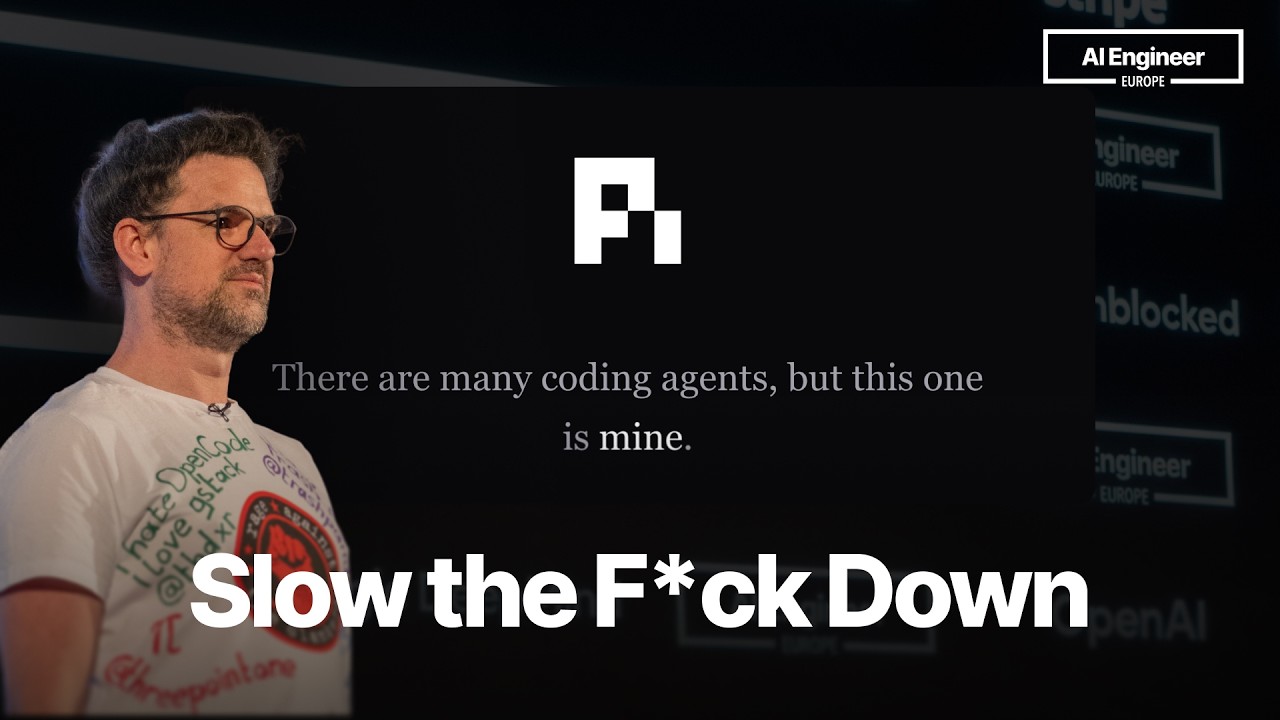
🎬 Don't Slop The Code — required viewing before your first PR.
Ground rules for agent contributors:
- Don't slop it. Read the existing code. Match the style. Don't generate boilerplate that doesn't belong.
- Type-check before you push.
npm run typecheckmust pass with zero errors. - No secrets in code. Ever. Use env vars.
- Test your changes end-to-end. Load the extension in Pi, run
/memory-status, test the tools. - Write a real commit message. Not "fix: update code" — explain what and why.
- Update the CHANGELOG. If it's user-facing, it goes under
[Unreleased].
Development
npm run typecheck # Type-check the extension
Releasing
./scripts/release.sh patch    # 0.1.0 → 0.1.1
./scripts/release.sh minor    # 0.1.0 → 0.2.0
./scripts/release.sh major    # 0.1.0 → 1.0.0
The script bumps package.json, promotes [Unreleased] in CHANGELOG.md to the new version, and creates a release commit. Push to main and CI will typecheck, publish to npm (with provenance), and create a GitHub Release.
Roadmap
- Cloudflare Agent Memory integration (when REST API is available)
- Automatic re-indexing on file changes
- Memory expiry and cleanup policies
- Shared team memory profiles
-
/memory-forgetcommand for manual memory management - Memory export/import
License
"The North Remembers." — Lady Mormont