@larose/pi-web
extensionPi, in your browser
by — · v0.7.0 · published 1w ago
$ pi install npm:@larose/pi-webSignals
Download trend
No downloads in the last 12 weeks.
README
Pi Web
Pi, in your browser.
@larose/pi-web is a focused, lightweight web UI for Pi.
Screenshots
Sessions

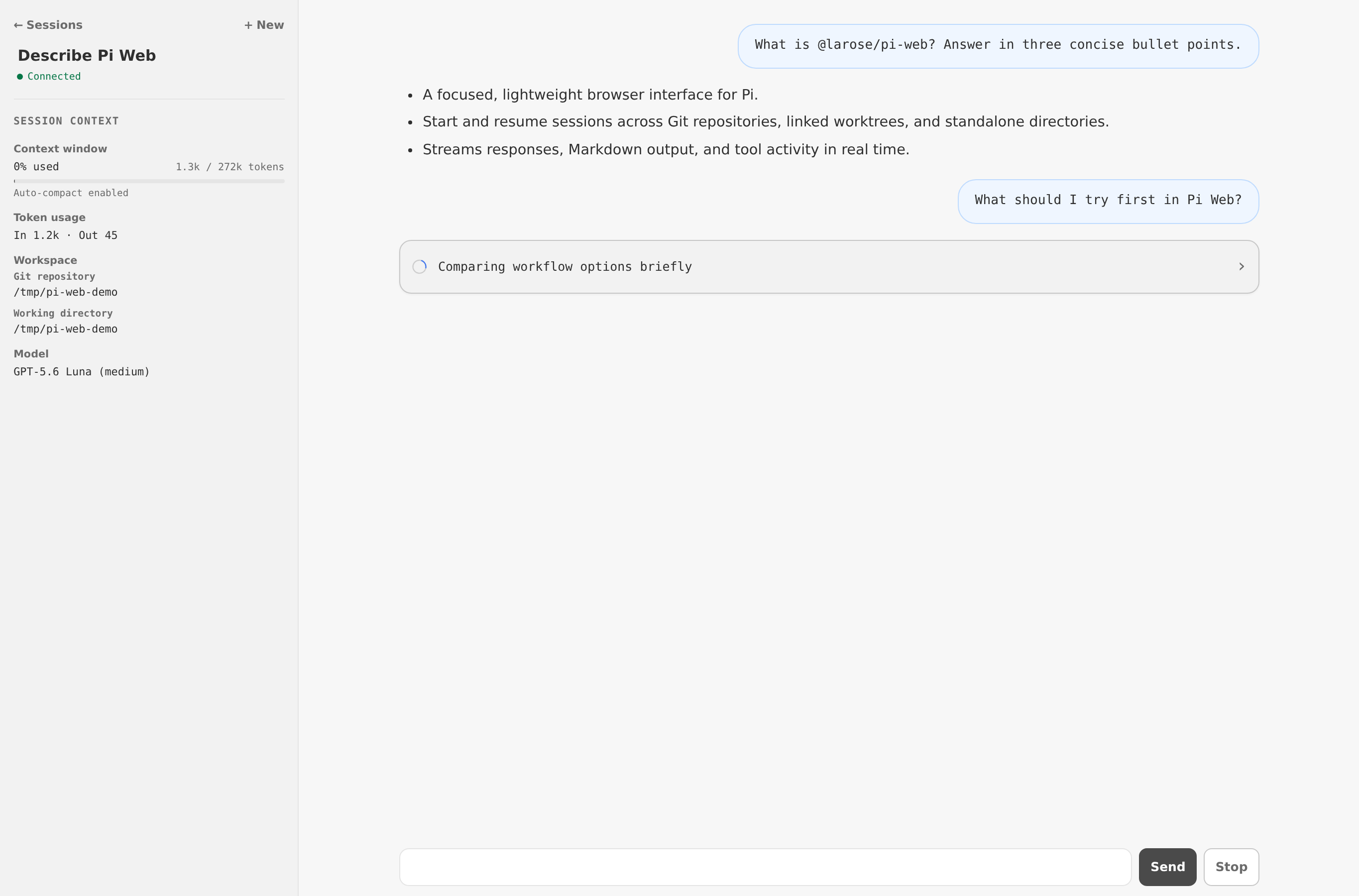
Conversation
Run
Start the local Pi Web server:
npx @larose/pi-web
By default, the server listens at http://127.0.0.1:31415. Open that address in a browser, or set PI_WEB_PORT to use another port. For use from another machine, see Remote access.
The server and any active work continue if you close or refresh the browser. Press Ctrl+C in the terminal to stop the server.
Features
- Create, resume, rename, and delete sessions.
- Work in standalone directories or Git repositories and linked worktrees.
- Follow streaming responses, rendered Markdown, and live tool activity.
- Choose models and thinking levels, monitor token usage, and compact context.
- Use Pi extensions, commands, prompt templates, skills, dialogs, notifications, and widgets.
- Open working directories in VS Code, locally or through Remote - SSH.
Git
Choose a repository, checkout, and working directory when starting a session. Pi Web can also create a linked worktree and session together under <repository>/.pi/worktrees/.
Remote access
Pi Web composes with established remote-development tools instead of reimplementing them: SSH provides authentication and encrypted transport for browser access, while VS Code Remote - SSH opens remote workspaces.
Browser access
Pi Web has no built-in authentication and listens only on 127.0.0.1. To access it from another machine, create an SSH tunnel:
ssh -N -L 127.0.0.1:31415:127.0.0.1:31415 user@server
Then open http://127.0.0.1:31415 locally. Do not expose the Pi Web port directly to a network.
VS Code
Session pages can open their working directory in a new VS Code window. When Pi Web runs remotely, set the VS Code Remote - SSH target in ~/.pi/agent/pi-web.json on the Pi Web host:
{
  "vscode": {
    "remote": "user@devbox.example"
  }
}
The target must be available to VS Code on your local machine, typically through its ~/.ssh/config. For a one-off override, run:
npx @larose/pi-web --vscode-remote <ssh-target>
Security
Anyone with access to Pi Web can operate Pi as the OS user running the Pi Web process, including access to that user's files.
License
Licensed under AGPL-3.0-or-later.